JavaScript Objects Explained
As programs grow, we often need to store related information together.
For example, imagine storing information about a person:
Name
Age
City
Using separate variables can become messy.
let name = "Gagan";
let age = 22;
let city = "Delhi";
Instead, JavaScript provides objects, which allow us to store related data together in one structure.
What is an Object?
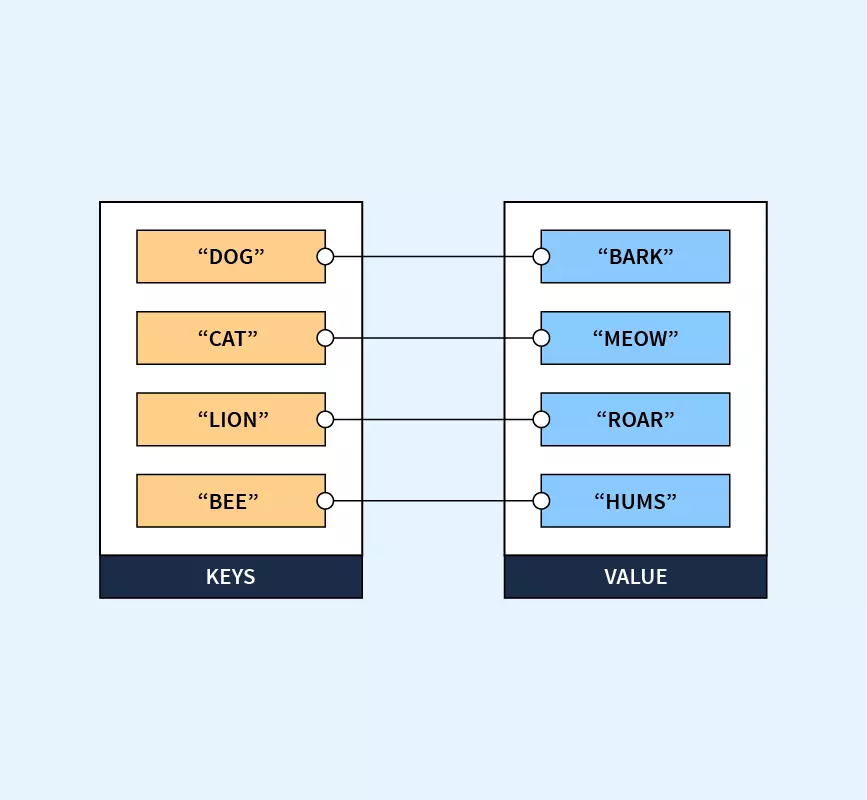
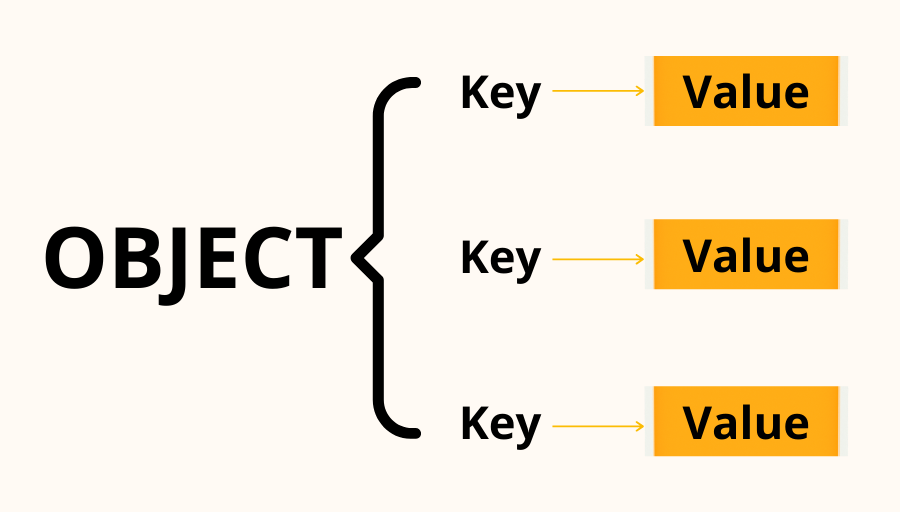
An object is a collection of key-value pairs.
Each piece of information has:
a key (property name)
a value (the data stored)
Example:
let person = {
  name: "Gagan",
  age: 22,
  city: "Delhi"
};
Here:
| Key | Value |
|---|---|
| name | "Gagan" |
| age | 22 |
| city | "Delhi" |
Visual Representation of an Object
4
Why Objects Are Needed
Objects help us:
group related information
represent real-world entities
organize data clearly
make programs easier to maintain
Example real-world representation:
let person = {
  name: "Rahul",
  age: 25,
  city: "Mumbai"
};
Creating Objects
Objects are created using curly braces {}.
Example:
let car = {
  brand: "Toyota",
  model: "Camry",
  year: 2023
};
This object stores information about a car.
Accessing Object Properties
JavaScript provides two ways to access object properties.
Dot Notation
This is the most common method.
let person = {
  name: "Gagan",
  age: 22
};

console.log(person.name);
console.log(person.age);
Output
Gagan
22
Bracket Notation
Properties can also be accessed using brackets.
console.log(person["name"]);
console.log(person["age"]);
This is useful when property names are dynamic.
Example:
let property = "name";

console.log(person[property]);
Updating Object Properties
Object values can be updated easily.
Example:
let person = {
  name: "Gagan",
  age: 22
};

person.age = 23;

console.log(person.age);
Output
23
Adding New Properties
New properties can be added to an object.
Example:
let person = {
  name: "Gagan",
  age: 22
};

person.city = "Delhi";

console.log(person);
Now the object becomes:
{
  name: "Gagan",
  age: 22,
  city: "Delhi"
}
Deleting Properties
Properties can also be removed.
Example:
delete person.city;
After deletion, the object no longer contains that property.
Looping Through Object Keys
To iterate through an object's properties, JavaScript provides the for...in loop.
Example:
let person = {
  name: "Gagan",
  age: 22,
  city: "Delhi"
};

for (let key in person) {
  console.log(key, person[key]);
}
Output
name Gagan
age 22
city Delhi
Here:
keyrepresents the property nameperson[key]gives the value
Array vs Object
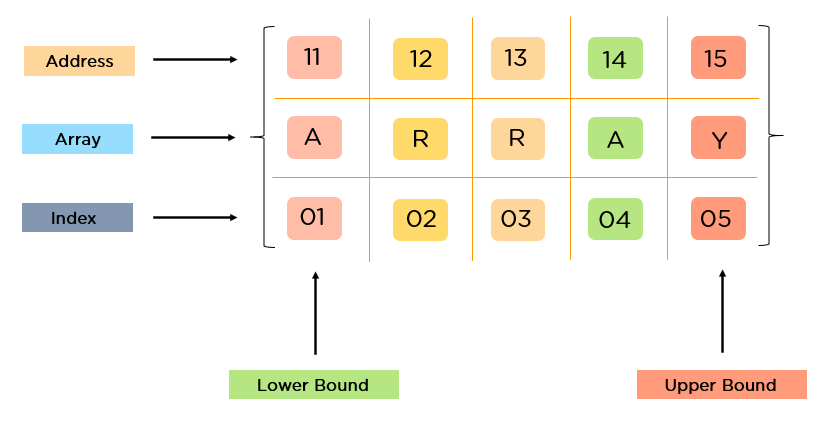
Arrays and objects both store data, but they are used differently.
| Feature | Array | Object |
|---|---|---|
| Structure | Ordered list | Key-value pairs |
| Access method | Index | Property name |
| Example | [10,20,30] |
{name:"Gagan"} |
Example array:
let numbers = [10, 20, 30];
Example object:
let person = {
  name: "Gagan",
  age: 22
};
Array vs Object Visualization


4
Practical Example
let person = {
  name: "Gagan",
  age: 22,
  city: "Delhi"
};

console.log(person.name);
Output
Gagan
Practice Assignment
Create a Student Object
Create an object representing a student.
Properties:
name
age
course
Example:
let student = {
  name: "Amit",
  age: 20,
  course: "Computer Science"
};
Update a Property
Update the student's age.
student.age = 21;
Print All Keys and Values
Use a loop to print all properties.
for (let key in student) {
  console.log(key, student[key]);
}
Explain which structure you used and why objects are suitable for representing a student.